
For several months Takealot has been testing a new version of the Buy Box. The new Buy Box displays two winners: the seller who offers the cheapest price and the seller who offers the fastest delivery time.
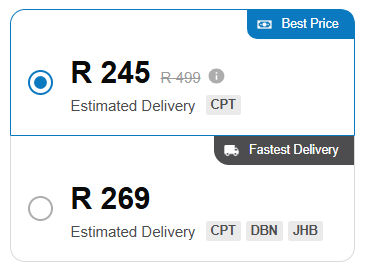
Takealot Best Price Buy Box
The 'Best Price' option is pre-selected as the default option for the customer. Which means that sellers who have typically tried to win the buy box by having a higher price and keep stock in the Takealot Warehouse may lose sales.
The original Buy Box only displayed a single winner. The winner of this was determined by a combination of price and delivery time. All sellers who were not winning the Buy Box were hidden below the fold in an 'Other Offers' section. Because the winner of the buy box was not necessarily the cheapest offer, a seller could still win the buy box with a higher price by holding stock in the Takealot Warehouse.
Repricer has a feature called Compete for Best Price that allows you to compete for the 'Best Price' Buy Box. When enabled, Repricer will adjust your price to be the lowest price that will win this Buy Box.
To enable this feature for an offer, navigate to the Repricing page and click the > icon on the offer you want to configure. In the offer row, enable the Compete for Best Price toggle and click Enable it.
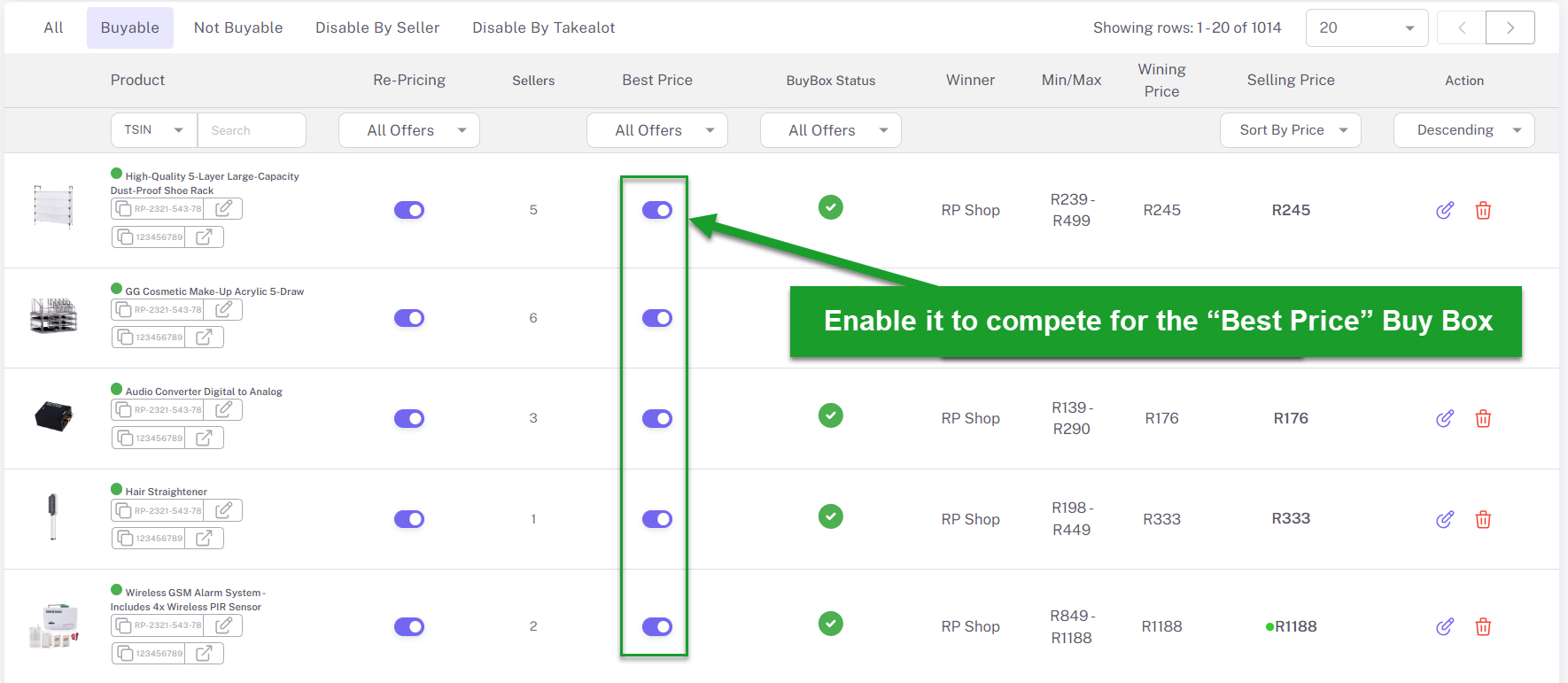
How to enable best price repricing
Note: Offers that have been enabled for Compete for Best Price will be denoted by a blue $ tag on the Repricing page.