Adding Offers to the Repricer

In order for Repricer to start repricing your products, you need to add them to the Repricer.

Adding multiple Offers at once

Repricer makes it easy to add multiple offers to the Repricer at once.
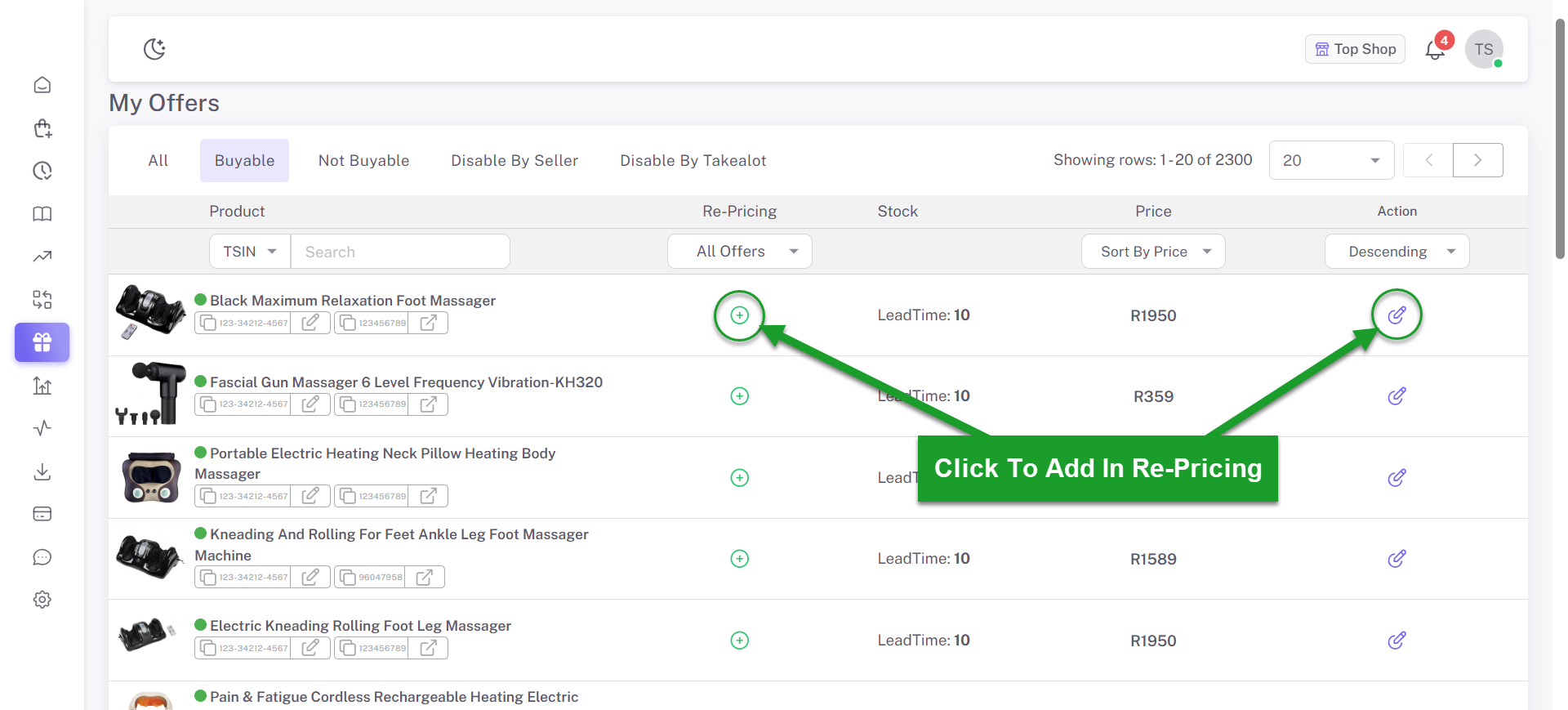
  1. Navigate to the Offers page in Repricer.
  2. Click the Add to Repricer button to add the offer.
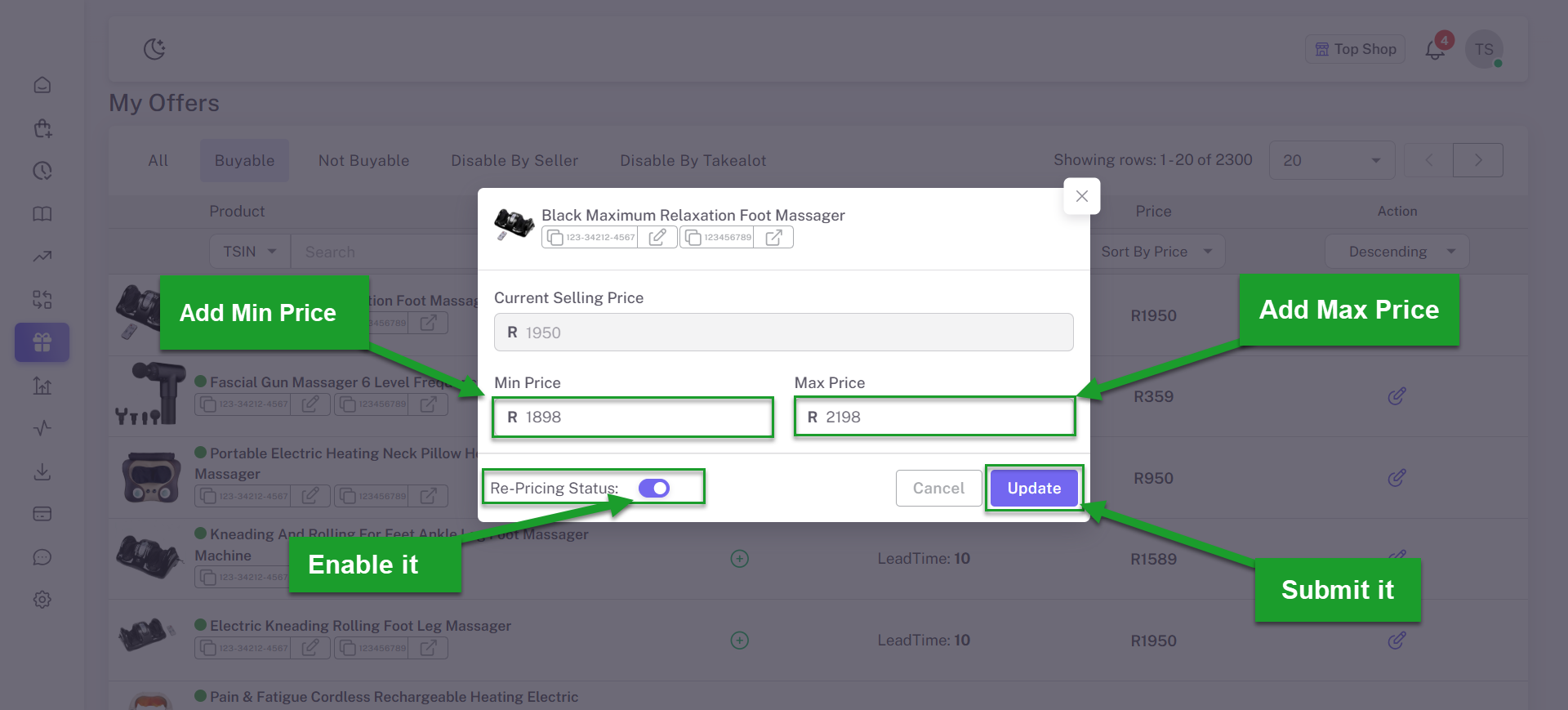
  3. Set the minimum and maximum price range, enable repricing, and confirm by clicking the submit button to add the offer to the Repricer.
Adding multiple offers to the Repricer

Click To Add offer In the Repricer

Adding multiple offers to the Repricer

Set the minimum and maximum prices for the offers, enable repricing, and then submit them to the Repricer.