
Congratulations on signing up for Repricer! This guide will walk you through the process of integrating Repricer with your Takealot Seller Account by using an API Key. This key allows Repricer to securely access and manage your products, orders, and more.
The first step is to obtain your Takealot API Key, which enables secure communication between Repricer and your Takealot Seller Account.
Quick Access: Click this URL to go directly to the Takealot Seller API page:
https://seller.takealot.com/api/seller-api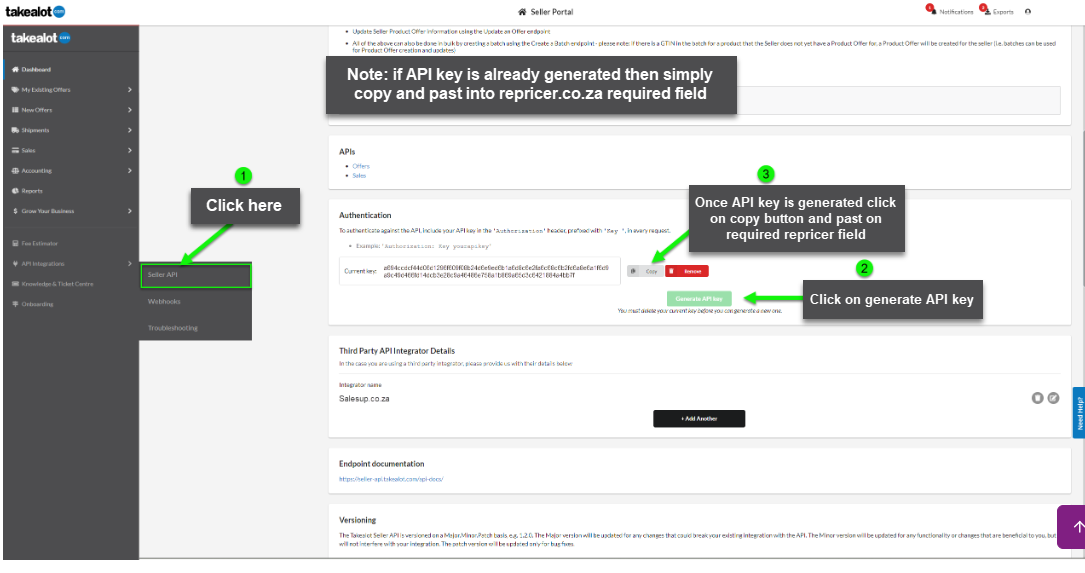
Takealot API Key Display
If no other services have access to your account, and you wish to generate a new API Key:
With your API Key copied, you're ready to connect your Takealot Seller Account to Repricer.
The final step is to link your Takealot Seller Account with Repricer using the API Key.
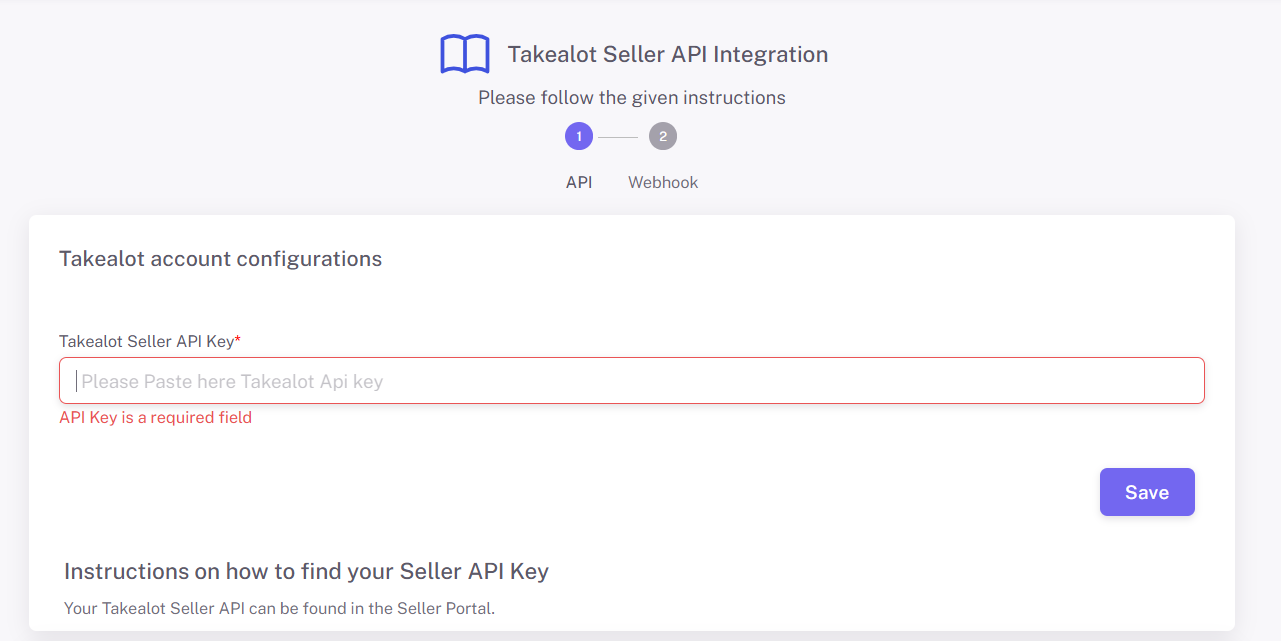
Repricer API Key Entry
Webhooks are used to update the data in a particular system in real-time, based on events that occur in another system. They are a tool that assists in keeping the data in two different systems in sync, in real time. They work by sending notifications to a defined URL of the occurrence of an event that has occurred in a particular system.
Instead of getting your app to make an API call every X number of minutes to check if a specific event has occurred, you can subscribe to webhook events which send a POST request from Takealot telling you the event has occurred and details of the event. This allows you to have more real-time data with far fewer API requests.
You can receive notifications for the following event types:
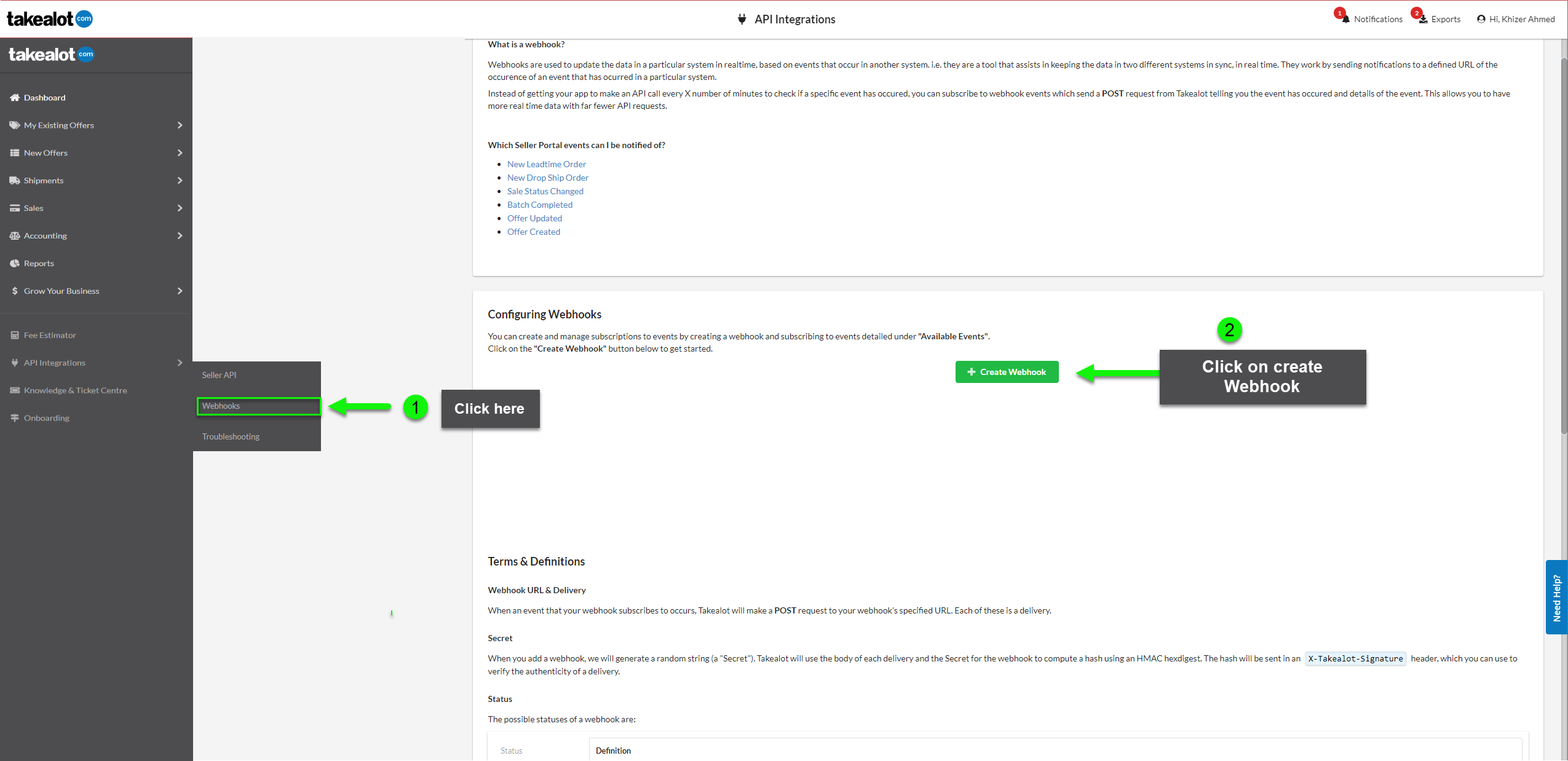
Takealot Webhooks Introduction
Webhook configurations can be found in the Seller Portal. Follow these steps to configure your webhook:
Step 1 - Quick Access: Click this URL to go directly to the Takealot Webhooks page:
https://sellers.takealot.com/api/webhooksOR Login to the Takealot Seller Portal and click API INTEGRATIONS - Webhooks
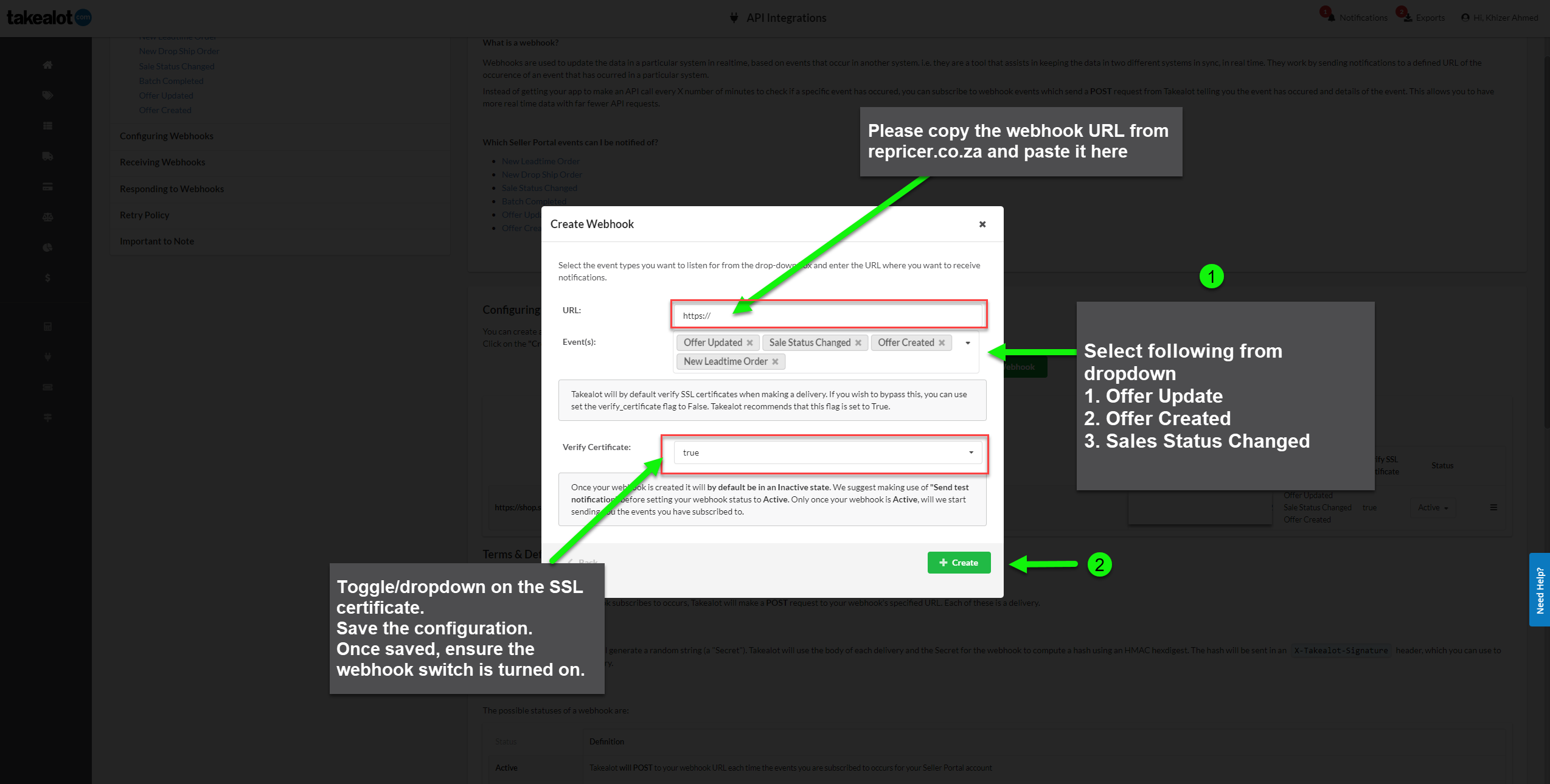
Create Webhook Configuration on Takealot
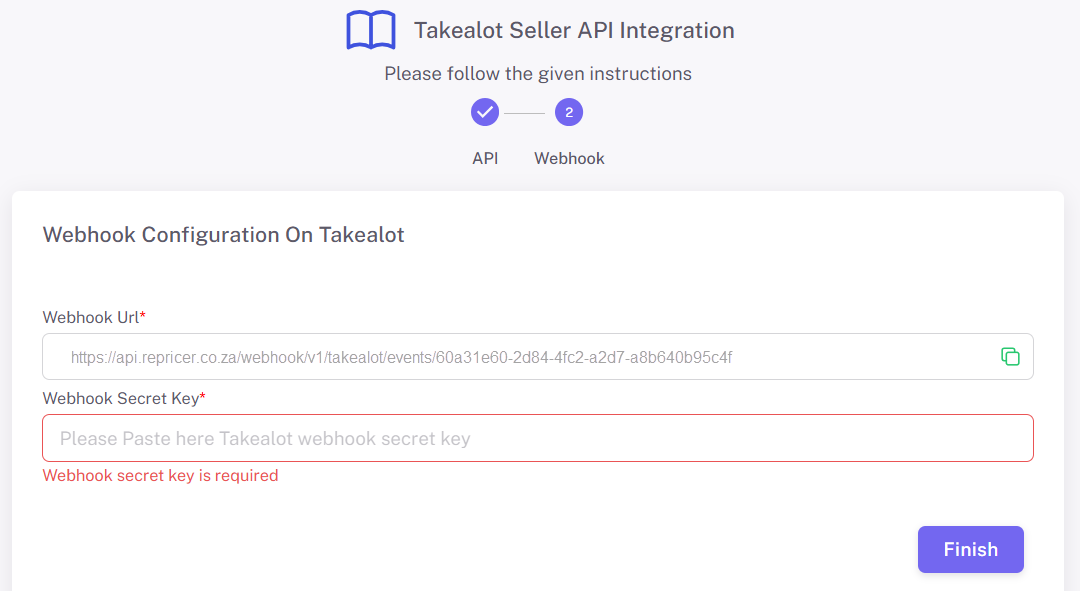
Webhook Configuration on Repricer - Paste Secret Key from Takealot
Summary: Copy your webhook URL from repricer.co.za and paste it into the Takealot webhook form. After creating the webhook on Takealot, copy the generated secret key and paste it into the webhook secret key field on repricer.co.za.